Forensics • Updated Feb 21, 2026
How to acquire memory dump from virtual machine
Easy step-by-step guide on process of acquiring memory dump from virtual machine
If you think you need to use third-party tools to acquire a memory dump from a virtual machine, you are wrong. Here is the step-by-step guide on how to do it better and faster.
Guide
-
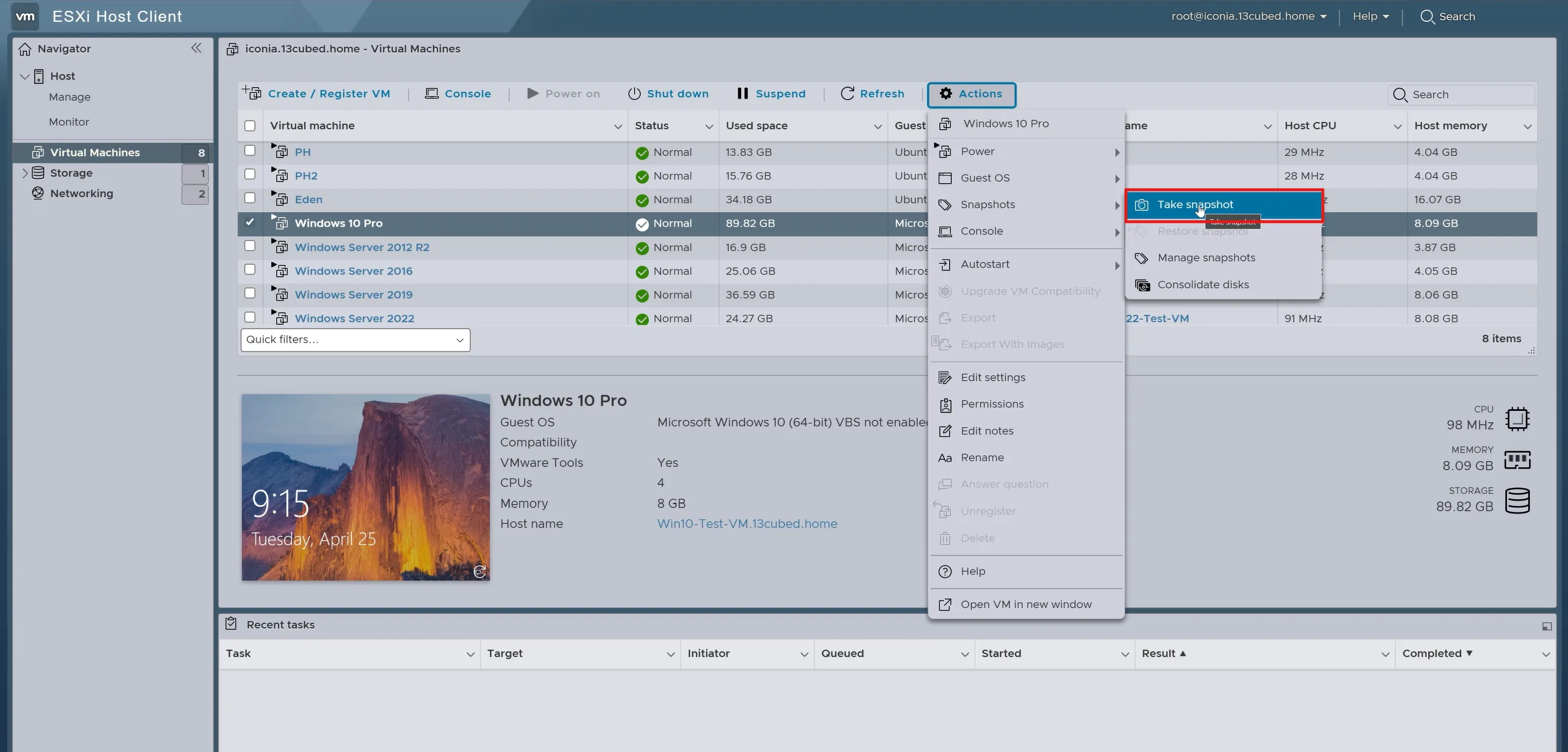
Create a virtual machine snapshot.
-
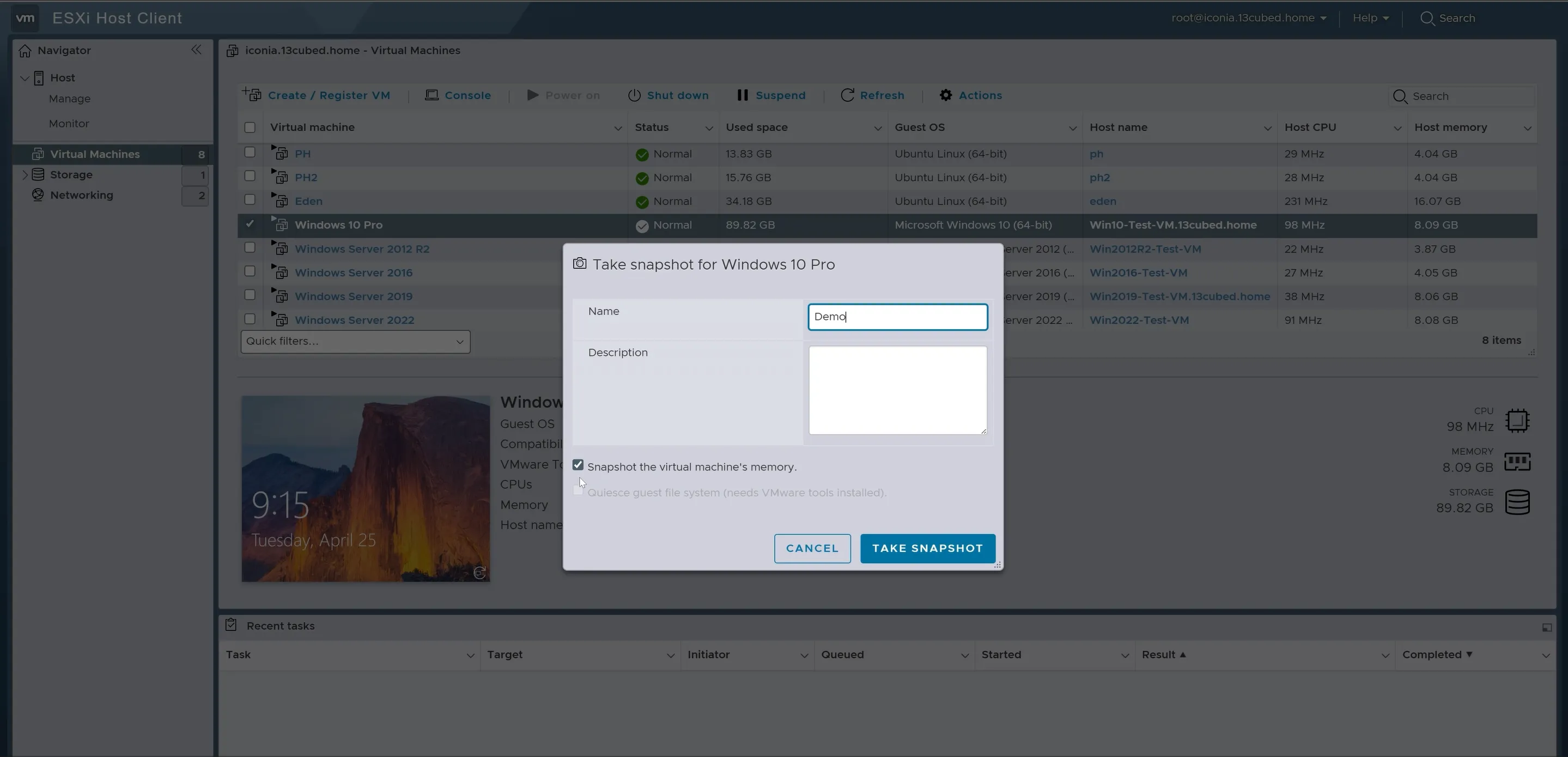
Do not forget to choose the “snapshot the VM memory” option. When you create a snapshot with the “Snapshot the virtual machine’s memory” option enabled, vSphere creates a .vmem file containing the memory state and a .vmsn file with metadata.
-
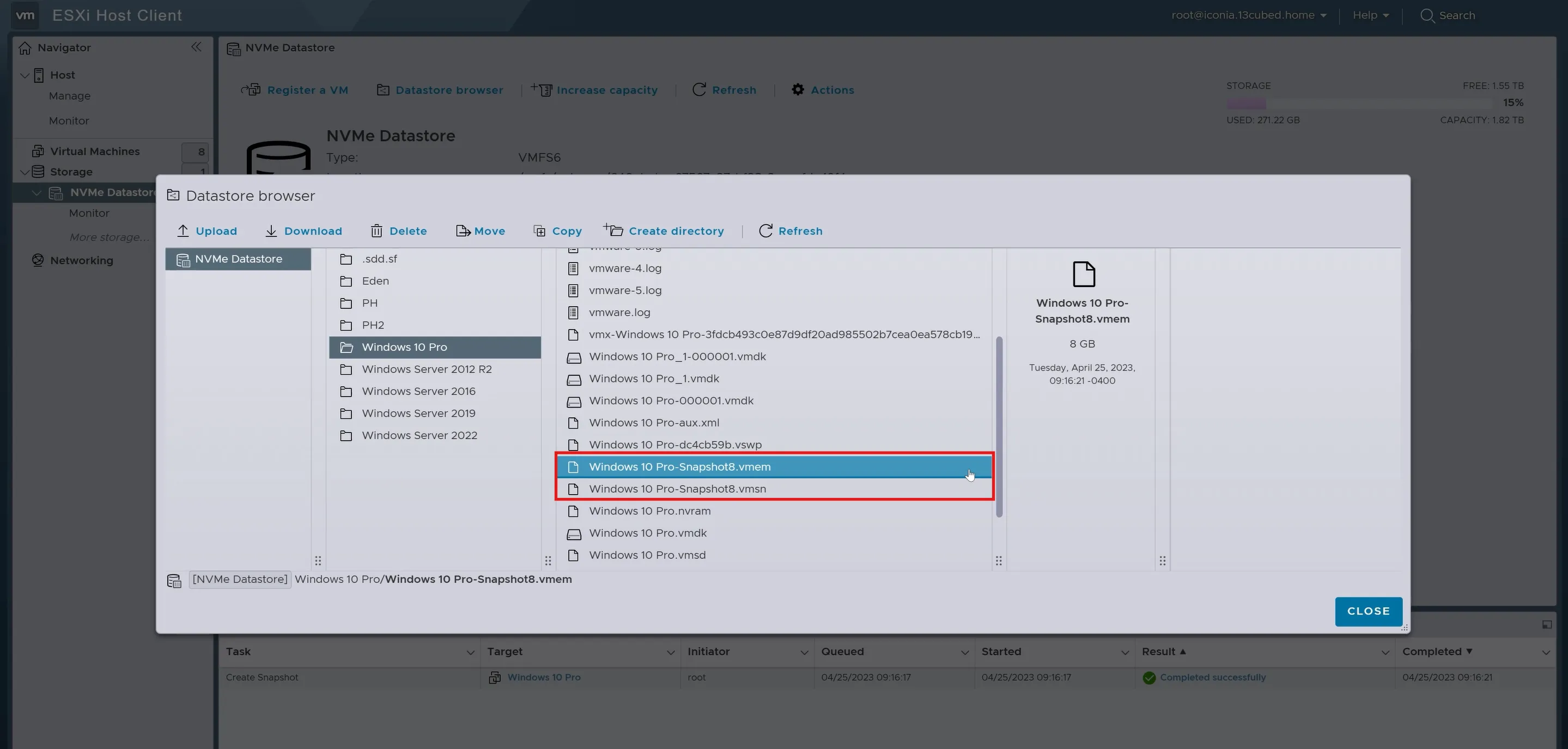
After creating the snapshot, you will see two files: .vmem and .vmsn.Acquire two files with .vmem and .vmsn extensions. File with .vmem extenstion should have almost the same size as your virtual machine memory. On the other hand, .vmsn file is a snapshot file and it is much smaller.
Important tips
- Check the size of the .vmem file (should approximately equal the VM RAM size)